Causes and Alternatives When Access to a Korean Online Service Fails at the Identity Verification Stage While Abroad
Real-name identity verification (Bonin Injeung – 본인인증) presents a major hurdle for foreigners, international students, and overseas Koreans attempting to access online services in South Korea from abroad. From opening bank accounts, shopping online, and booking event tickets to accessing public portals, almost every transaction requires authenticating your identity against official records. Failing to receive an SMS OTP or encountering errors within verification apps often stems from South Korea’s strict telecommunications regulations and cybersecurity mandates.
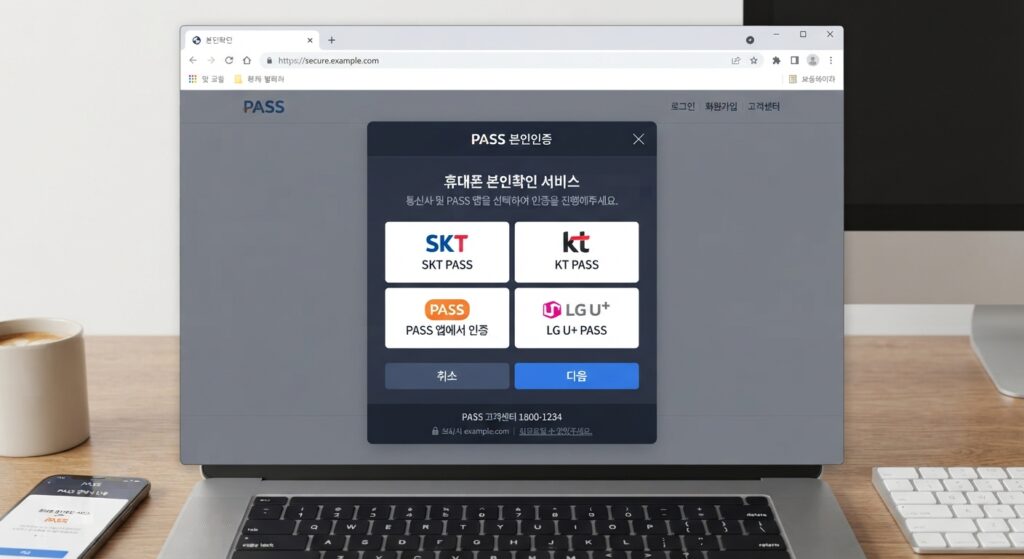
Root Causes Behind Online Identity Verification Failures Abroad
Identity verification in South Korea goes beyond simply checking an email address or password. The system directly cross-checks data between the Immigration Office database, mobile carriers (SKT, KT, LGU+), and credit bureaus (such as KCB and NICE Credit Bureau).
Missing SMS OTP Messages Due to Roaming Errors or MVNO (Budget) SIM Constraints
The most common verification method is receiving a 6-digit OTP code via SMS. When traveling or residing outside South Korea, this process often breaks down due to:
- Inactive International Roaming: Many users assume prepaid or standard mobile plans automatically receive SMS abroad. If you do not explicitly activate international SMS roaming (which is typically free), your connection to domestic cellular towers is cut off completely.
- Budget Carrier (MVNO / 알뜰폰) Restrictions: Low-cost MVNO SIM cards often have international roaming disabled by default or lack support for relaying OTP messages sent from payment gateways and financial verification portals while abroad.
- Removing or Turning Off the Korean SIM: Removing your Korean SIM card to insert a local SIM prevents your device from maintaining background cellular connections needed to receive hidden verification texts.
English Name Format Mismatches Across ARC, Mobile Carriers, and PASS App
This is the most frequent technical error resulting in the message: “User information does not match” (사용자 정보가 일치하지 않습니다). Foreign names on Alien Registration Cards (ARC) are often long and prone to misformatting during data entry.
Korean systems typically default to LAST NAME + FIRST & MIDDLE NAME (e.g., GWINNETH KATE LILY). However, during SIM registration, sales agents may enter it as FIRST NAME + LAST NAME (KATE LILY GWINNETH). Telecom databases may automatically strip spaces between names (GWINNETHKATELILY), whereas banking systems retain exact spaces. Furthermore, long names that exceed character limits on telecom databases are often truncated at the end, causing a mismatch with ARC records.
Lapsed Alien Registration Cards (ARC) and Foreign IP Address Restrictions
When you surrender your ARC card at the airport upon departure or let your visa expire, the Immigration Office updates your record. Mobile carriers subsequently revoke the “verified real-name” status of your SIM card, rendering Bonin Injeung non-functional even if the phone number remains active for standard calls.
Additionally, financial portals, government sites (such as Government24), and ticketing platforms actively block foreign IP ranges to prevent cyber threats.
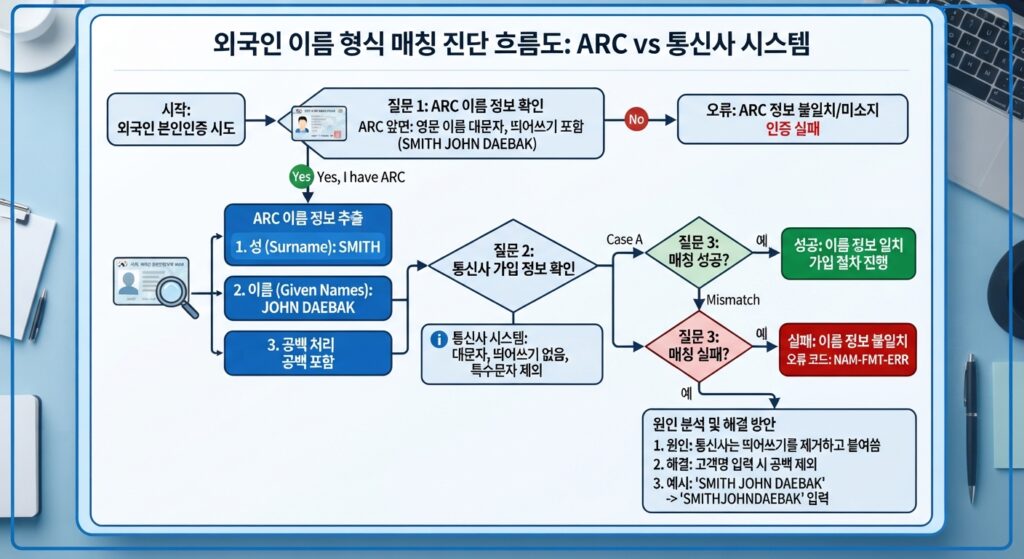
Step-by-Step Diagnostic and Troubleshooting Protocol
To resolve verification failures while abroad, follow this structured diagnostic workflow.
Verifying and Activating Free SMS Roaming
- Check Mobile Signal Status: Insert your Korean SIM into your primary SIM slot. Enable Data Roaming (turn off cellular data usage, but keep the mobile radio connection active).
- Select Carrier Manually: If your phone fails to auto-connect, go to
Settings > Mobile Network > Network Operatorsand manually select a local roaming partner network (e.g., AT&T/T-Mobile in the US, EE/O2 in the UK, Viettel/Vinaphone in Vietnam). - Contact Customer Support Abroad:
- SKT: +82-2-6343-9000
- KT: +82-2-2190-0901
- LGU+: +82-2-3416-7010
- Request the representative to confirm that
International SMS Roaming(국제로밍 문자수신) is enabled for your subscription line.
Standardizing English Name Format Variants
When entering your name in the Bonin Injeung pop-up window, systematically attempt these four structural name variations:
- All Uppercase with Spaces: JOHN DAVIS (Exact match as printed on the front of your ARC).
- All Uppercase without Spaces: JOHNDAVIS.
- First Name First Order: Davis John.
- Capitalized First Letters: John Davis.
Note: Ensure you select the exact mobile network provider (SKT / KT / LGU+ or select the specific MVNO brand listed under the 알뜰폰 category).
Effective Alternative Methods When Phone Verification Fails
If your Korean mobile SIM is disconnected or unable to receive SMS abroad, consider these alternative solutions.
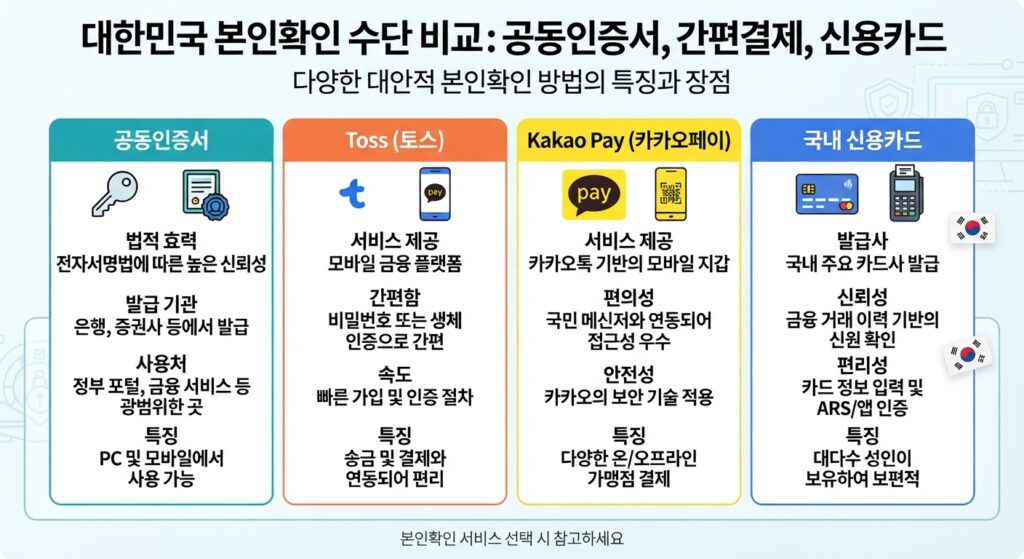
Utilizing Certificates (Joint/Financial Certificate) and E-Wallets (Kakao/Toss)
If you previously opened a Korean bank account (Shinhan, Woori, Hana, KB) and issued a digital certificate before leaving South Korea:
- Financial Certificate (금융인증서): Stored securely in the cloud managed by Korea Financial Telecommunications & Clearings Institute (KFTC). You can authenticate using a 6-digit PIN within your banking app without receiving an SMS OTP.
- Joint Certificate (공동인증서): If you saved your certificate files (
.pfxformat or inside theNPKIfolder) to a USB drive or laptop, you can upload them to verify identity on official e-commerce and government platforms.
Verifying via Domestic Korean Credit Cards
Certain payment portals accept identity verification via domestic credit cards (신용카드 인증).
- Requirements: The card must be a true Credit Card registered under your name and issued by a Korean financial entity (Shinhan Card, Samsung Card, KB Kookmin Card, etc.). Debit/Check cards are typically not supported.
- Execution: Authentication is completed via the bank’s mobile card app or by entering card PIN details + ARS automated phone response, bypassing SMS OTPs.
Switching to Global Service Portals
Major South Korean technology platforms maintain separate ecosystems for domestic and international users:
| Platform | Domestic Portal (Requires Bonin Injeung) | Global Portal (No Bonin Injeung Required) | International Signup Method |
|---|---|---|---|
| Interpark (Ticketing) | ticket.interpark.com | globalinterpark.com | Email + International Passport |
| Naver | naver.com | nid.naver.com (Global Signup) | International Phone Number |
| MelOn / Bugs | melon.com | Mwave / Apple Music Korea | Email / Social Accounts |
| K-ETA / Public Services | k-eta.go.kr | K-ETA Official App | Passport + Global Credit Card |
Maintaining a Low-Cost MVNO (알뜰폰) SIM
If you regularly interact with Korean digital services, the most reliable long-term strategy is maintaining a low-cost postpaid budget SIM card. Select budget MVNO providers like FreeT, Woodeori, Mobing, or A-Mobile offering line retention plans ranging from 1,100 KRW to 3,300 KRW/month (approx. $0.80 – $2.50 USD). Set up auto-debit payments via a credit card or active Korean bank account, enable roaming, and instruct the provider to keep inbound international SMS open.
FAQ
1. Can I pass Bonin Injeung if my ARC is expired but my phone line remains active?
No. The identity verification system cross-checks live records with the Immigration Office in real-time. Once your ARC expires or is canceled, your phone line loses its “verified identity” status, even if you can still make prepaid calls.
2. Does the PASS App work while abroad?
Yes, provided the PASS App was fully activated before leaving South Korea and your phone has an active internet connection. However, if the app requires a re-authentication or update via SMS OTP, you must have active cellular roaming signals.
3. Will using a VPN with a Korean IP address bypass identity verification?
No. A VPN only bypasses geo-blocking restrictions set by web servers. It cannot bypass or substitute the SMS OTP or database lookup required by Bonin Injeung.
4. Can a foreign national who has never visited Korea create a Bonin Injeung account remotely?
No. The Bonin Injeung process legally requires a valid Alien Registration Card (ARC) and a registered Korean mobile line under the same name. Overseas users must rely on Global Portals.